
Lambus Web
How can I join a trip?
Last updated October 20, 2026
Got an invite to an existing Lambus trip or a 6-digit PIN code? Here's how to join.
Option 1: From your trip list
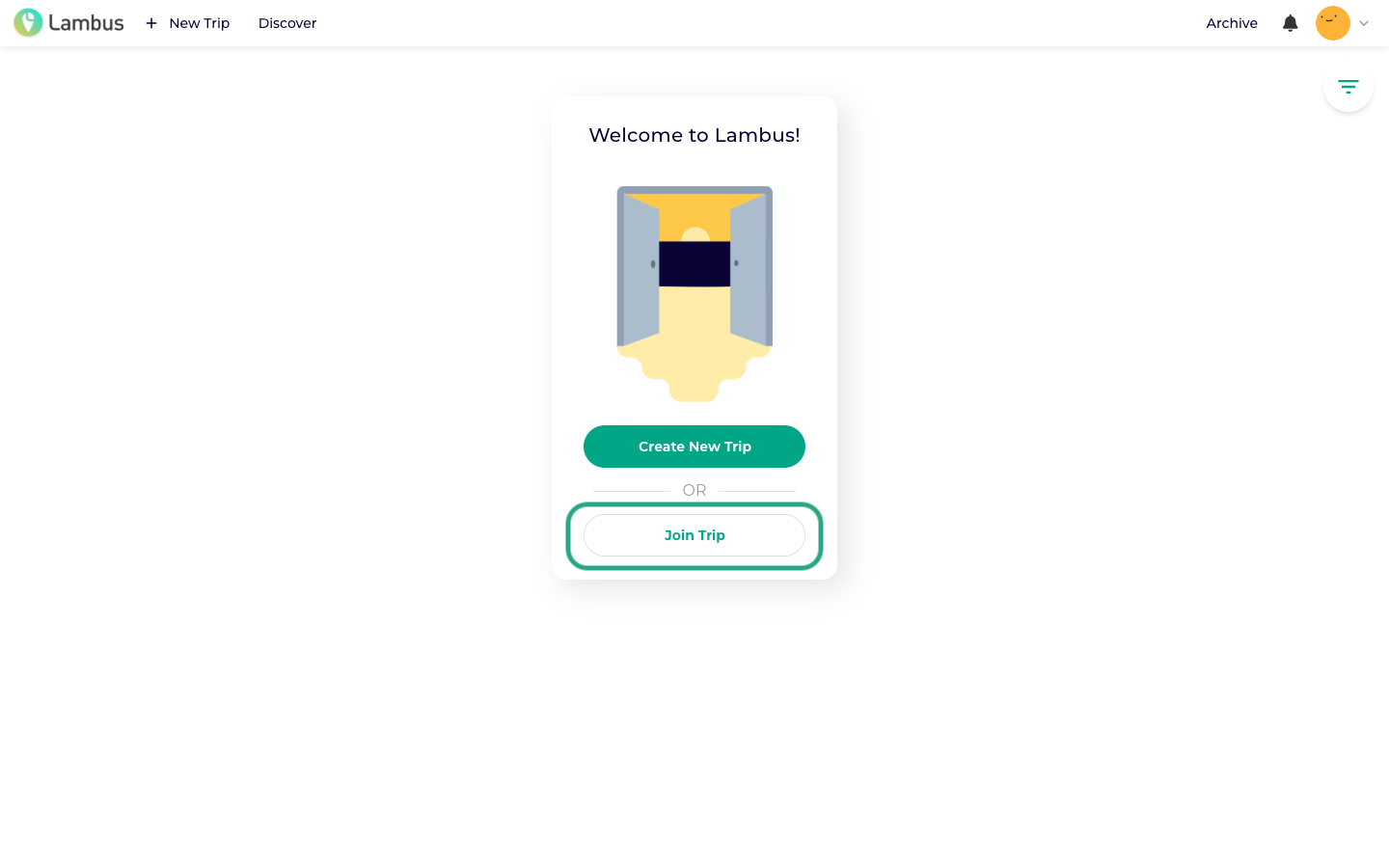
While you don't have any trips yet, you'll find the Join trip button right on the home screen.
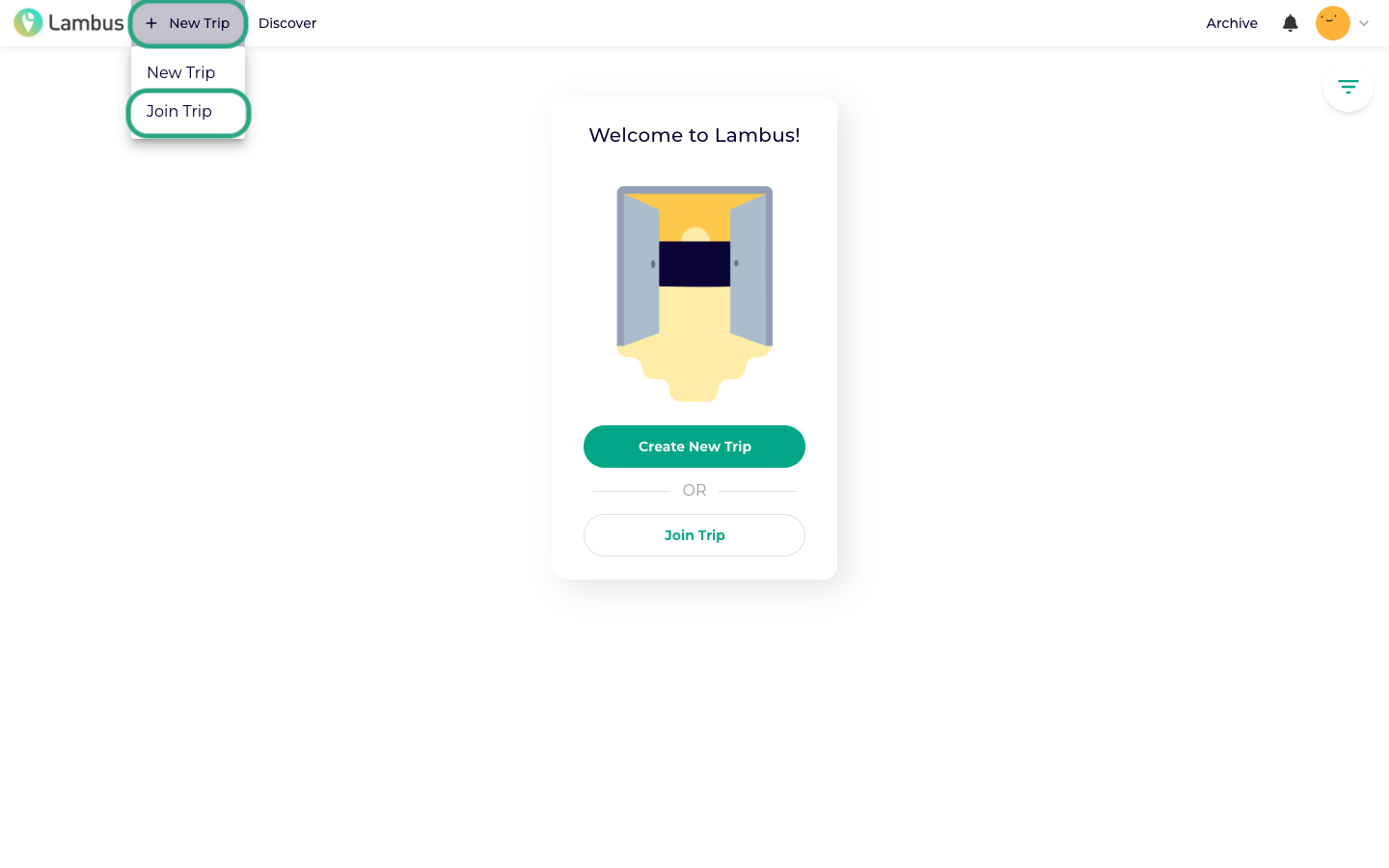
If you already have trips, click New trip in the top navigation bar and choose Join trip from the dropdown.
Option 2: Enter PIN code
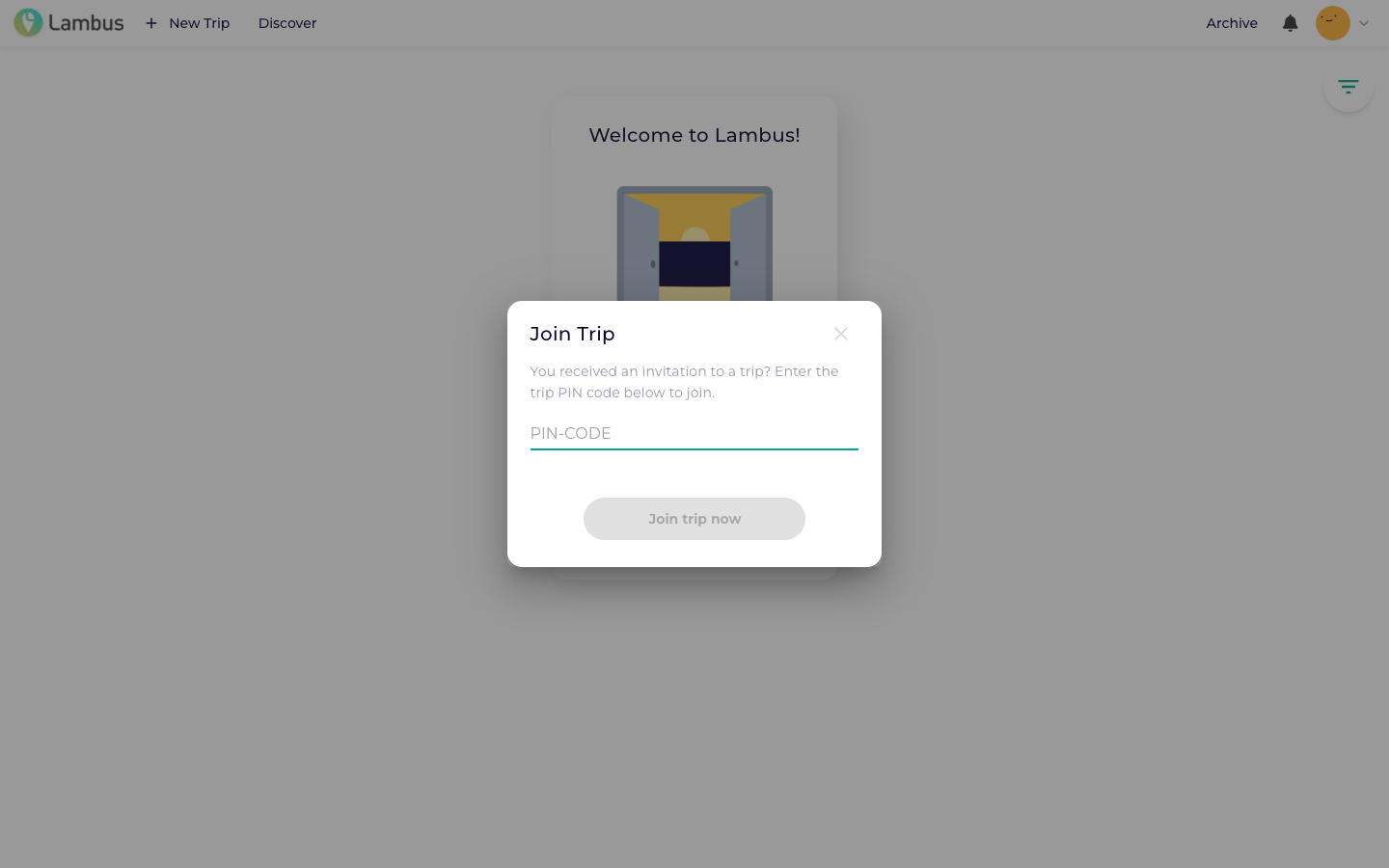
A dialog opens. Enter your 6-digit PIN code and confirm with Join now.
The trip then appears in your trip list and you can dive in straight away: view the itinerary, write notes, share expenses.
Joining via the mobile app
For how to join a trip in the iOS / Android app, see our matching help article.